

Last updated: November 7, 2026
Reviewed by an information security professional (CISSP) on November 11, 2026.
Vulnerability scanning is an automated check you run again and again to learn which of your systems carry known security weaknesses, ideally before an attacker spots them. A vulnerability scanner looks at what’s running on your servers, laptops, cloud accounts and web apps, matches it against a database of published flaws, and gives you a list sorted by severity. Running the scan is the easy bit. Most teams struggle with what comes next: choosing what to fix first and showing auditors that it got fixed.
Short answer: Vulnerability scanning relies on automated tools to spot known weaknesses, like missing patches, outdated software and risky settings, across your devices, networks and applications. Most security frameworks expect internal scans at least quarterly, external scans quarterly or monthly, and a written process for fixing findings, beginning with flaws attackers already exploit.
Key takeaways
- PCI DSS v4.x calls for internal and external vulnerability scans at least once every three months. External scans must be run by an Approved Scanning Vendor, and authenticated internal scanning has been required since March 31, 2025.
- CIS Controls safeguards 7.5 and 7.6 ask for internal scans at least quarterly and scans of internet-facing assets at least monthly.
- CISA issued BOD 26-04 on June 10, 2026. It revoked BOD 22-01 and sets risk-based fix deadlines for federal agencies ranging from 3 days to 60 days.
- HHS has proposed a HIPAA Security Rule change requiring vulnerability scanning at least every six months. It hasn’t been finalized.
- UK Cyber Essentials v3.3 expects critical and high-risk updates to be applied within 14 days of release.
Table of Contents
What is vulnerability scanning?
NIST’s glossary defines vulnerability scanning as “a technique used to identify hosts/host attributes and associated vulnerabilities” (NIST CSRC). In plain English, a vulnerability scanner inventories what’s on your network, works out what each system is running, and flags anything that matches a known weakness.
A typical vulnerability scan checks for:
- Operating system and application patches that haven’t been applied
- Software versions with published CVEs (Common Vulnerabilities and Exposures identifiers)
- Misconfigurations like open management ports, weak TLS settings or default accounts
- Software that’s out of support and no longer receives security fixes
- Services on internet-facing systems that shouldn’t be reachable from the public internet
A finding normally includes a CVE ID, a severity score from the Common Vulnerability Scoring System (CVSS) and a recommended fix. Together, those findings feed your patching and hardening work.
How a vulnerability scan works
Nearly all vulnerability scanning tools work through the same four steps:
- Discover. The scanner locates live hosts, open ports and running services within the range you set.
- Fingerprint. It works out operating systems, software and versions, either from outside (unauthenticated) or by signing in with read-only credentials (authenticated).
- Compare. It checks what it found against a vulnerability database the vendor or project updates whenever new flaws are published.
- Report. It outputs findings with severity scores, affected assets and fix guidance that you can export to a ticketing system.
Authenticated scans see a lot more than unauthenticated ones. They read installed software and settings directly rather than inferring them from network responses. That’s the reason PCI DSS now requires authenticated internal scanning on systems that accept credentials.

Types of vulnerability scanning
One vulnerability scanner won’t cover everything, so most organizations mix several scan types:
| Scan type | What it checks | Who needs it |
|---|---|---|
| External network scan | Internet-facing IP addresses, domains and services, seen as an attacker would | Anyone with public systems; required quarterly under PCI DSS |
| Internal network scan | Servers, workstations and devices inside your network | Any business with an internal network or VPN |
| Authenticated (credentialed) scan | Installed software, patch levels and local settings, using read-only login | Teams that need accurate patch data and fewer false positives |
| Web application scan (DAST) | Running web apps for issues such as injection flaws and insecure headers | SaaS companies and anyone with customer-facing web apps |
| Container and dependency scan | Container images and open-source libraries for known vulnerable versions | Engineering teams shipping code and containers |
| Cloud configuration scan | Cloud accounts for risky settings, such as public storage or overly broad permissions | Anyone running workloads on AWS, Azure or Google Cloud |
On the open-source side, there’s Greenbone OpenVAS for network scanning, ZAP for web applications and Trivy for containers and dependencies. Commercial platforms from Tenable, Qualys, Rapid7 and Microsoft bundle several scan types with dashboards and reporting. We’re not ranking them; the best vulnerability scanner for you depends on your assets and compliance needs.
Vulnerability scanning vs penetration testing
Vulnerability scanning is automated, wide and frequent. Penetration testing is manual, deep and occasional. A scan shows which known weaknesses exist across lots of systems. In a penetration test, a skilled tester tries to chain weaknesses together and get in, which reveals what an attacker could really do.
| Vulnerability scanning | Penetration testing | |
|---|---|---|
| Method | Automated tool | Human tester, supported by tools |
| Coverage | Wide: every in-scope asset | Narrow: agreed targets and scenarios |
| Frequency | Weekly, monthly or quarterly | Typically yearly or after major changes |
| Finds | Known vulnerabilities and misconfigurations | Exploitable paths, logic flaws and chained attacks |
| Output | Long list of findings with severity scores | Narrative report with proof of exploitation |
Vulnerability scanning vs penetration testing isn’t a choice between the two. The HHS HIPAA proposal, for instance, would require both: scans at least every six months and a penetration test at least once every 12 months. Scans keep the basics tidy between tests, and tests show whether those basics actually stop an attacker.
How often should you run a vulnerability scan?
For internal scans, quarterly is the minimum under most frameworks, and anything facing the internet should be scanned monthly or continuously. The table below shows what each major framework requires, checked against primary sources on November 4, 2026.
| Framework | What it says about vulnerability scanning | Frequency |
|---|---|---|
| PCI DSS v4.x (requirements 11.3.1, 11.3.1.2, 11.3.2) | Internal scans with high-risk and critical findings resolved and rescanned; authenticated internal scans; external scans by an Approved Scanning Vendor | At least once every three months, internal and external |
| CIS Controls v8.1 (safeguards 7.5 and 7.6) | Automated scans with a SCAP-compliant tool; both authenticated and unauthenticated internal scans | Internal: quarterly or more often. External: monthly or more often |
| SOC 2 (Trust Services Criteria CC7.1) | Detection and monitoring to find configuration changes and new vulnerabilities; conducting vulnerability scans is a listed point of focus | Set by you, then tested by the auditor |
| ISO/IEC 27001:2022 (Annex A 8.8) | Management of technical vulnerabilities: identify, evaluate and address them | Risk-based; no fixed interval |
| HIPAA Security Rule (proposed) | HHS proposal would add explicit vulnerability scanning and penetration testing | Scans at least every six months; pen test at least every 12 months |
| UK Cyber Essentials v3.3 | Keep in-scope software supported and updated | Critical or high-risk fixes within 14 days of release |
| CISA BOD 26-04 (federal agencies) | Risk-based remediation using exposure, KEV status, exploit automation and impact | Fix deadlines from 3 to 60 days, or at system upgrade |
Some details are easy to miss. Under PCI DSS v4.x, lower-risk findings follow your own targeted risk analysis, and requirement 6.3.3 separately expects critical patches within one month of release. The CIS safeguard 7.5 specification spells out that you should run both authenticated and unauthenticated scans.
The HHS fact sheet on the proposed HIPAA rule covers a proposal issued on December 27, 2024. Paubox reported in July 2026 that the target date for a final rule had slipped to July 2027, so read it as a signal of where rules are heading, not as current law. In the UK, the NCSC’s Cyber Essentials requirements v3.3 apply the 14-day rule to fixes the vendor rates critical or high risk, fixes for flaws with a CVSS v3 base score of 7 or higher, and updates released without severity details.
In Canada, the Canadian Centre for Cyber Security’s baseline controls for small and medium organizations center on automatic patching (control BC.2.1) and offer full vulnerability and patch management as the alternative. They don’t set a scan interval.
How to prioritize vulnerability scan findings
Don’t work through findings purely in CVSS order. CVSS tells you how bad a flaw could be, not how likely someone is to use it against you. Good triage layers on three more signals.
- Is anyone exploiting it? The CISA Known Exploited Vulnerabilities catalog lists flaws with evidence of exploitation in the real world. If a finding is on it, move it to the front of the line.
- How likely is exploitation soon? FIRST’s Exploit Prediction Scoring System (EPSS) estimates how likely a published CVE is to be exploited in the wild within the next 30 days.
- How exposed and valuable is the asset? An internet-facing server with customer data comes before an isolated test machine carrying the same CVE.
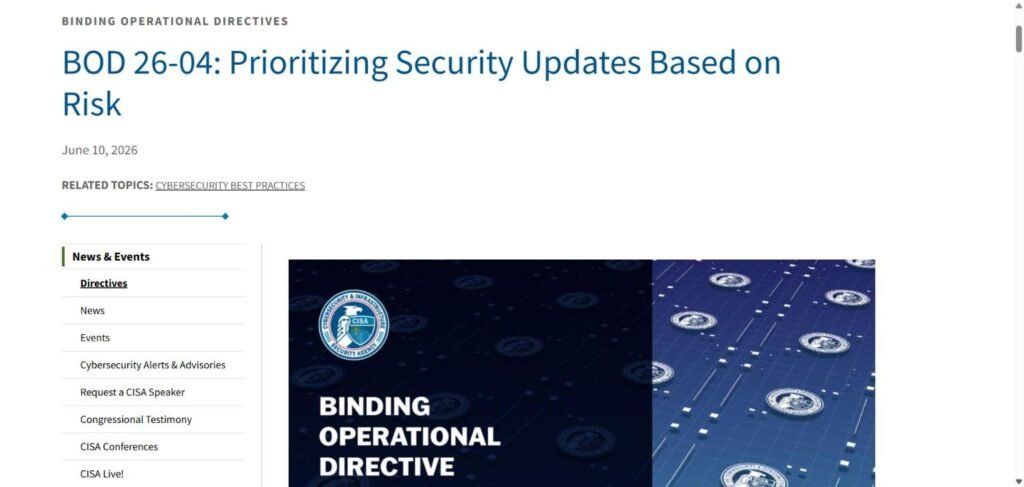
CISA turned this approach into firm deadlines for federal agencies with BOD 26-04: Prioritizing Security Updates Based on Risk, issued June 10, 2026. The directive supersedes and revokes BOD 22-01, the 2021 order that set up the KEV catalog, along with BOD 19-02. Deadlines depend on four questions: is the asset publicly exposed, is the flaw in the KEV catalog, can an attacker automate the exploit, and would exploitation give partial or total control? CISA says it publishes the answers to the last three for every CVE through services like its Vulnrichment program.
A few rows from the directive’s remediation table:
| Publicly exposed? | In KEV? | Automatable? | Impact | Federal deadline |
|---|---|---|---|---|
| Yes | Yes | Yes | Total control | 3 days plus forensic triage |
| Yes | Yes | No | Partial control | 14 days |
| Yes | No | Yes | Total control | 3 days |
| Yes | No | No | Partial control | 60 days |
| No | Yes | Yes | Total control | 3 days plus forensic triage |
| No | Yes | No | Partial control | 14 days |
| No | No | Yes | Total control | 60 days |
| No | No | No | Partial or total control | Fix on system upgrade |
BOD 26-04 is binding only on federal civilian agencies. CISA’s announcement said other organizations can use the risk-based approach as a practical tool. For a private company, it’s a remediation policy you can lift and adapt, with longer deadlines if your team is small.
A 7-step vulnerability scanning program
Here’s the program we’d build for a small or midsize business that has to answer SOC 2, PCI DSS or cyber insurance questions without a dedicated security team.
Step 1: Build an asset inventory
If you don’t know an asset exists, you can’t scan it. List your servers, endpoints, cloud accounts, domains, public IP addresses and web apps, then tag each as internet-facing or internal, and as production or test. BOD 26-04 asks agencies to tag assets in the same way.
Step 2: Match scan types to assets
Work from the table above. Internet-facing systems get external scans, internal servers and laptops get authenticated scans, web apps get application scanning, and code and containers get dependency scanning inside the build pipeline.
Step 3: Turn on authenticated scanning
Set up a dedicated read-only scanning account with only the permissions the tool needs, keep its credentials in a vault and rotate them. Authenticated results are more accurate, and PCI DSS now expects them for internal scans.
Step 4: Set a schedule you can keep
A sensible starting point: external scans every month, internal authenticated scans monthly or at least quarterly, and dependency scans on every build. Run an extra scan after any big change, like a new firewall rule set or a major server rollout.
Step 5: Triage with exploit data, not just severity
Bring KEV status and EPSS scores into triage. Put deadlines in writing, for example: actively exploited and internet-facing within days, other critical and high findings within 30 days, everything else on your usual patch cycle.
Step 6: Remediate and rescan
Give every finding an owner in your ticketing system. Once a fix is in, rescan to make sure it worked; PCI DSS requires rescans to confirm high-risk and critical findings are resolved. Record accepted risks and false positives with a reason and a review date.
Step 7: Keep evidence for auditors
Keep scan reports, tickets, exceptions and rescan results. SOC 2 and ISO 27001 auditors will want proof that scans ran on schedule and that findings were tracked until closed. Our SOC 2 for startups guide walks through the broader evidence set.
How to choose a vulnerability scanner
Choose a tool once you know your assets and frameworks. Run each candidate through these questions:
- Does it cover all of your asset types, including cloud accounts, containers and web apps?
- Can it run authenticated scans on your operating systems?
- If you accept card payments, is the vendor (or a partner) a PCI SSC Approved Scanning Vendor for external scans?
- Does it display KEV status and EPSS scores alongside CVSS?
- Will it connect to your ticketing system so findings turn into tracked work?
- Can you flag false positives and accepted risks with an audit trail?
- Will it export reports in a format your auditor accepts?
- What’s the pricing model: per asset, per IP address, per application or a flat fee?
The same habits apply to any security purchase. Our 10-point checklist for reviewing tools before you buy lists data handling and contract questions to put to any vendor that will get access to your network.

Vulnerability scanning tools: free and commercial options
Getting started with vulnerability scanning doesn’t take a big budget, though free tools come with limits. These are well-known options, checked against each project’s or agency’s own page on November 7, 2026:
| Tool | What it scans | Cost | Best for | Watch out for |
|---|---|---|---|---|
| CISA Cyber Hygiene | Internet-facing assets with public, static IPv4 addresses, plus public web apps | Free | US federal, state, local, tribal and territorial governments, and public or private critical infrastructure organizations | Weekly scan reports and monthly web app reports; external view only |
| Greenbone Community Edition (OpenVAS) | Networks and hosts | Free community edition | Teams able to run and maintain their own scanner | You install, update and tune it yourself |
| Nessus Essentials (Tenable) | Networks and hosts | Free, up to 5 IPs, 30-day license | Learning and proof-of-concept testing | Strictly non-commercial use |
| ZAP | Web applications | Free and open source | Testing your own web apps | Configure it carefully; active scans send real attack traffic |
| Trivy (Aqua Security) | Container images, Kubernetes clusters, code repositories, infrastructure as code | Free, Apache-2.0 license | Cloud-native and DevOps teams | Covers build artifacts and configs, not your whole network |
Commercial vulnerability management platforms from Tenable, Qualys, Rapid7 and others add asset discovery, authenticated scanning at scale, dashboards and audit-ready reports. Compare them with the checklist above and get written pricing for the number of assets you really have.
Whatever vulnerability scanning tool you choose, two rules hold. Scan only systems you own or have written permission to test. And if you accept card payments, no free tool replaces the quarterly external scans by a PCI SSC Approved Scanning Vendor that the standard requires.
Common vulnerability scanning mistakes
- Scanning only from outside. External scans don’t see internal patch gaps, and those are exactly what an attacker hunts for once inside.
- Sticking to unauthenticated scans. They guess at versions and throw up more false positives.
- Having no asset inventory. An asset that’s out of scope never gets scanned. Forgotten cloud accounts and test servers are frequent gaps.
- Fixing purely by CVSS score. A medium-severity flaw on the KEV list needs faster action than a critical one with no known exploit on an isolated system.
- Skipping the rescan. Without one you can’t show the fix worked, and PCI DSS requires it for high-risk and critical findings.
- Hitting fragile systems without warning. Aggressive scans can knock over older devices. Agree scan windows with system owners and begin with safe settings.
Our Take / Expert Perspective
Our take: vulnerability scanning has become a commodity. Most scanners pull from the same public CVE data, so the findings list rarely separates one team from another. What separates a secure team from a merely compliant one is triage, and BOD 26-04 is the clearest signal so far of where triage is heading.
For years the default rule, taken from BOD 22-01, was straightforward: patch anything in the KEV catalog within two weeks. BOD 26-04 swaps that for a matrix asking whether an asset is exposed, whether exploitation can be automated and whether an attacker would gain total control. It’s harder to run but far closer to real risk, and it openly lets agencies push low-risk fixes to the next system upgrade.
Our forecast: within the next 12 months, auditors, cyber insurers and enterprise security questionnaires will start asking how you prioritize findings, not only whether you scan. Vendors will build BOD 26-04-style scoring into their dashboards, and frameworks that only say “scan quarterly” will start to look dated.
What to do now: write a one-page remediation policy that sets deadlines from exposure, KEV status and impact, then confirm your vulnerability scanning program can produce evidence that you hit them.
Frequently Asked Questions
What is vulnerability scanning in simple terms?
Vulnerability scanning is an automated check of your systems for known security weaknesses, like missing patches or risky settings. The scanner matches what it finds against a database of published flaws and hands you a ranked list to work through.
Is vulnerability scanning the same as penetration testing?
No. Vulnerability scanning is automated and broad, and it usually runs monthly or quarterly. Penetration testing is a manual, focused attempt to exploit weaknesses, typically done once a year or after major changes. Most security programs need both.
How often should you run a vulnerability scan?
Internal systems should be scanned at least quarterly, in line with PCI DSS and CIS Controls safeguard 7.5, and internet-facing systems at least monthly under CIS safeguard 7.6. Plenty of teams scan weekly or continuously, and everyone should rescan after significant changes and after fixes.
What is an authenticated vulnerability scan?
An authenticated scan signs in to each system with read-only credentials, so it can read installed software, patch levels and settings directly. It’s more accurate than an unauthenticated scan, and PCI DSS v4.x requires it for internal scans where systems accept credentials.
Does SOC 2 require vulnerability scanning?
SOC 2 doesn’t specify a scan frequency, but common criterion CC7.1 expects detection and monitoring of new vulnerabilities, and conducting vulnerability scans is one of its listed points of focus. In practice, auditors look for regular scans and evidence that findings got fixed.
Is a free vulnerability scanner good enough?
In a small environment, open-source tools like Greenbone OpenVAS, ZAP and Trivy can handle network, web app and container scanning. You trade off setup time, reporting and support. For PCI DSS external scans, you’ll still need an Approved Scanning Vendor.
This article is for general information only and is not legal advice. Laws differ by state, province and country; consult a qualified attorney for your situation.
Photos: Albert Stoynov, Kirill Sh, Luke Chesser and Chris Ried on Unsplash.
Sources
- NIST: CSRC glossary: vulnerability scanning, checked November 4, 2026
- CISA: BOD 26-04: Prioritizing Security Updates Based on Risk, including Table 1, checked November 4, 2026
- CISA: Known Exploited Vulnerabilities catalog, checked November 4, 2026
- PCI Security Standards Council: A risk-based approach to vulnerability management in PCI DSS, checked November 4, 2026
- Center for Internet Security: CIS Controls assessment specification, safeguards 7.5 and 7.6, checked November 4, 2026
- HHS: HIPAA Security Rule NPRM fact sheet, checked November 4, 2026
- NCSC: Cyber Essentials: Requirements for IT Infrastructure v3.3, checked November 4, 2026
- FIRST: Exploit Prediction Scoring System (EPSS), checked November 4, 2026
- Canadian Centre for Cyber Security: Baseline cyber security controls for small and medium organizations, checked November 4, 2026
- KirkPatrickPrice: SOC 2 Academy: CC7.1 detection and monitoring; DQS: ISO 27001 controls A.8.8 and A.8.9; Paubox: HIPAA Security Rule overhaul delayed to 2027, all checked November 4, 2026
- aiandblog: more Security Compliance articles and our Editorial Policy








Leave a Reply