


Last updated: November 7, 2026
Reviewed by a certified public accountant (CPA) on November 10, 2026.
The general ledger is the full record of every financial transaction a business has posted, sorted by account. Each account, from cash through rent expense, keeps its own running history of debits, credits and balances, and every financial statement you produce comes from those balances.
Short answer: A general ledger (GL) is the master set of accounts recording every transaction a business posts, grouped by account, with dates, descriptions, debits, credits and running balances. Journals feed into it, subledgers like receivables and payables roll up into it, and the trial balance and financial statements are pulled from it.
Key takeaways
- Every transaction lands in the general ledger eventually, usually by way of a journal entry, bank feed, invoice, bill or payroll run.
- Every GL account has a normal balance: assets and expenses carry debits, while liabilities, equity and revenue carry credits.
- Subledgers hold detail on customers, vendors or assets, and their totals have to match the corresponding control account in the GL.
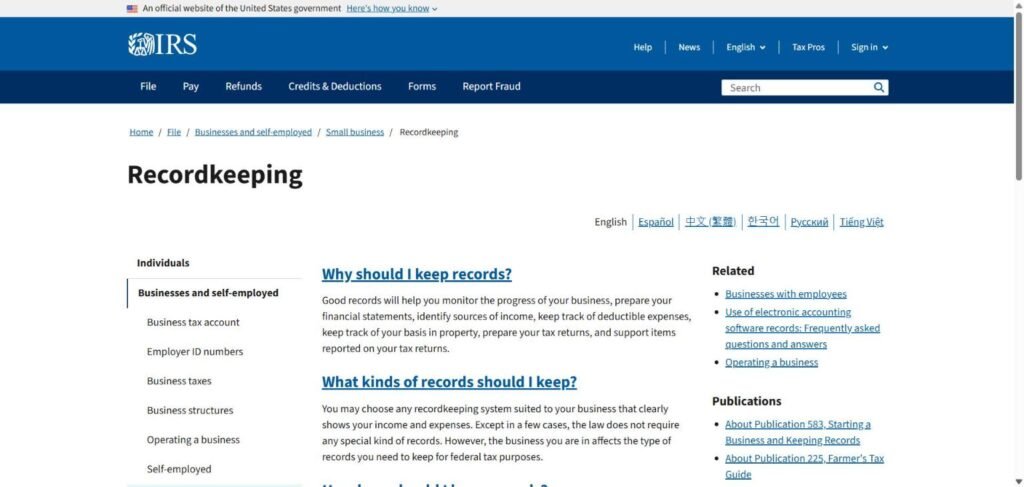
- The IRS doesn’t mandate a particular record format, but your records must clearly show income and expenses and back up your tax return.
- Reconciling key accounts each month is what turns a ledger into numbers you can rely on.
Table of Contents
What the general ledger does
Think of the ledger as the business’s memory. Sales, bills, payroll, loan payments, depreciation and owner contributions all leave their mark there. The ledger sorts those records by account, so you can see everything that happened to cash in March or every expense charged to software subscriptions this year.
Three things rely on it:
- Financial statements. The balance sheet and income statement summarize ledger balances at a point in time or over a period.
- Tax returns. Accountants map ledger accounts onto tax return lines and adjust for book-to-tax differences.
- The audit trail. Every figure in a report should trace back through the ledger to a source document, like an invoice or bank statement.
The IRS doesn’t insist on any specific bookkeeping system. It says you can use any system that clearly shows your income and expenses, and that you have to keep records backing up the items on your return. In practice, most businesses meet that standard with a well-maintained ledger in accounting software.

How transactions flow into the general ledger
Every transaction follows more or less the same route:
- Source document. An invoice, receipt, bank transaction, payroll report or contract.
- Journal entry. The transaction is recorded with equal debits and credits. In software this often happens automatically when you create an invoice or categorize a bank line.
- Posting. The entry’s lines are posted to the relevant GL accounts.
- Running balances. Each account’s balance is updated.
- Trial balance and statements. At period-end, balances are listed, adjusted and turned into reports.
Older bookkeeping textbooks treat journalizing and posting as two separate manual steps. Today’s software handles both together, which saves time but also makes it easier to post to the wrong account unnoticed. That’s why review matters more now, not less.
The five types of general ledger accounts
| Account type | Normal balance | Examples | Appears on |
|---|---|---|---|
| Assets | Debit | Cash, accounts receivable, inventory, equipment | Balance sheet |
| Liabilities | Credit | Accounts payable, loans, payroll taxes payable, deferred revenue | Balance sheet |
| Equity | Credit | Owner’s capital, retained earnings, owner’s draws (debit) | Balance sheet |
| Revenue | Credit | Product sales, service revenue, interest income | Income statement |
| Expenses | Debit | Rent, salaries, software, depreciation | Income statement |
The full list of these accounts, with names and numbers, is your chart of accounts. The ledger is where activity in each account gets recorded.
Example: one general ledger account
Here’s how the cash account might look over one month for a small services business:
| Date | Description | Reference | Debit | Credit | Balance |
|---|---|---|---|---|---|
| Nov 1 | Opening balance | $25,000 | |||
| Nov 3 | Customer payment, invoice 1088 | Deposit | $6,200 | $31,200 | |
| Nov 5 | Office rent, November | Check 2041 | $3,500 | $27,700 | |
| Nov 10 | Payroll, first half | Payroll run | $9,800 | $17,900 | |
| Nov 18 | Customer payment, invoice 1091 | ACH | $12,400 | $30,300 | |
| Nov 28 | Supplier payment, bill 552 | ACH | $4,150 | $26,150 |
Every line also has a matching entry in another account. The rent payment credited cash and debited rent expense, while customer payments debited cash and credited accounts receivable. Because of that pairing, total debits across the entire ledger always equal total credits.
General ledger vs. journal vs. subledger
People often confuse these three terms:
- Journal: records transactions by date, each with its debits and credits. It answers, “What happened on November 5?”
- General ledger: records the same activity sorted by account. It answers, “What happened to cash this month?”
- Subledger: holds detail for a group of similar items, like each customer’s invoices (receivables), each supplier’s bills (payables) or each fixed asset. The subledger total flows into a single control account in the general ledger.
Say the accounts receivable control account shows $48,000. The customer subledger should show the same $48,000 spread across individual customers. If they don’t match, something was posted straight to the control account or a subledger entry never made it to the ledger.

General ledger reconciliation: a 6-step monthly routine
Reconciliation means proving that each important ledger balance is backed by an outside source or a detailed schedule. A practical monthly routine looks like this:
- Reconcile cash. Match each bank and credit card account to its statement, and clear or look into outstanding items.
- Tie out the subledgers. Match receivables, payables and inventory control accounts to their aging reports or listings.
- Back up the balance sheet. Create or update schedules for prepaid expenses, fixed assets and depreciation, accruals, deferred revenue and loans.
- Check payroll liabilities against payroll reports and tax filings.
- Analyze the income statement. Compare each revenue and expense account with last month and last year, and dig into large swings.
- Document and sign off. Save every reconciliation with the preparer, reviewer and date, and resolve any differences before closing the period.
Once the routine is in place, small businesses can handle most of this in a few hours a month. The time spent here is what saves days at tax season.
Keeping your ledger clean: practical rules
- Use clear account names. “Software subscriptions” is better than “Misc. tech.”
- Restrict who can post journal entries. Most errors and nearly all fraud involve manual entries.
- Attach source documents to transactions in your software so anyone can follow the trail.
- Don’t leave balances in suspense or uncategorized accounts at month-end.
- Lock closed periods so past months can’t change without anyone noticing.
- Review journal entries above a set amount every month.
Setting up ledger accounts for a small business
Most small businesses need far fewer accounts than they expect. A services firm can run smoothly on 40 to 60 accounts, while a product business with inventory might need 80 to 120. More accounts don’t yield better information if nobody can tell them apart.
A few setup principles:
- Number accounts in ranges. For instance, 1000 to 1999 for assets, the 2000s for liabilities, 3000s for equity, 4000s for revenue, 5000s for cost of goods sold and 6000s onward for operating expenses. Leave gaps so you can add accounts later.
- Mirror your tax return where it’s practical. If an expense category maps neatly to a line on your return, give it its own account. That saves mapping work every year.
- Use classes, locations or tags for reporting views. Rather than creating “rent, store A” and “rent, store B,” keep a single rent account and tag each transaction by location.
- Name accounts the way your team speaks. Clear names cut miscoding more than any rule does.
Tracing one transaction through the general ledger
Here’s how a single annual software subscription travels through the books. On January 15, the business pays $1,200 for a 12-month plan.
- January 15: The payment credits cash for $1,200 and debits prepaid expenses for $1,200. The income statement isn’t touched yet.
- January 31 and each month-end afterward: An adjusting entry debits software expense for $100 and credits prepaid expenses for $100.
- December 31: Software expense shows $1,200 for the year, prepaid expenses for this plan is back to zero and cash reflects the single January payment.
Pull the ledger detail for the prepaid account at any month-end and you’ll see the opening $1,200 dropping by $100 a month. If it isn’t, the monthly entry was skipped, which is exactly the type of gap a reconciliation exists to catch.
Adjusting entries: what bank feeds won’t post for you
Bank feeds pick up cash going in and out. They miss anything earned or owed when no cash changes hands that month. Those items enter the ledger through adjusting entries at period-end:
- Accrued expenses. Wages earned in the final days of the month but paid the next, or a utility bill for usage already consumed.
- Prepaid expenses. An annual insurance premium paid in January and expensed one-twelfth at a time each month.
- Deferred revenue. A customer’s advance payment, recognized as revenue only as you deliver.
- Depreciation and amortization. The monthly charge for equipment and intangible assets.
- Accrued revenue. Work finished but not yet invoiced.
Without these entries, monthly profit moves with the timing of payments rather than real performance. They’re also the entries most likely to be posted wrong, so they deserve a reviewer.
Cash basis vs. accrual basis ledgers
Under the cash basis, the ledger records revenue when money comes in and expenses when money goes out. It’s simple, and many small businesses use it for taxes. Under the accrual basis, the ledger records revenue when earned and expenses when incurred, which calls for receivables, payables and the adjusting entries above.
Many accounting programs keep a single ledger and can report it either way. That’s handy, but check how your software treats items like prepaid expenses and deposits before trusting a cash-basis report built from accrual entries.
Controls that protect the ledger
A ledger is only as reliable as the controls surrounding it. Even a two-person business can set these up:
- Separate duties so whoever records receipts isn’t also reconciling the bank.
- Require approval for manual journal entries, particularly those affecting cash, revenue or equity.
- Switch on the audit log in your accounting software and check it monthly for edits to past periods.
- Limit who can add or edit accounts, so new accounts don’t show up without review.
- Back up or export the ledger at every year-end close.
When to use the general ledger report
Most accounting software lets you run a general ledger detail report for any account and date range. Reach for it when:
- A balance looks off and you need to see every posting behind it.
- Your accountant wants to know what’s in an expense account at year-end.
- You’re tracking down a duplicate payment or a missing deposit.
- An auditor or lender asks you to back up a figure in your financial statements.
- You’re getting ready for a sale or investment and have to explain unusual items from the past two or three years.
- A sales tax or payroll tax notice shows up and you need to compare what you filed with what’s in the books.
Narrow it to one account and one month first, then widen the range only if necessary. A full-year ledger report can stretch to hundreds of pages and is far harder to read.
Year-end: closing the ledger
At year-end, revenue and expense accounts are closed out to equity. Their balances move into retained earnings or owner’s capital, and they begin the new year at zero, while balance sheet accounts carry forward. Many accounting programs handle this automatically, but the year still has to be reviewed, adjusted and locked once your accountant finishes the tax return, so later edits don’t alter figures already reported.

Common general ledger mistakes
- Posting personal expenses to business accounts, which muddies both the books and the tax return.
- Lumping everything into a few broad accounts, so reports can’t show where money really goes.
- Letting the subledgers drift out of line with the control accounts.
- Editing closed periods after financial statements or tax returns have gone out.
- Skipping reconciliations because the bank feed “looks fine.”
Our Take / Expert Perspective
Our take: bank feeds and auto-categorization have made the general ledger quicker to build and easier to get subtly wrong. A rule that misfiles one recurring charge every month can sit unnoticed for a year. The answer isn’t more software; it’s a brief monthly habit of reconciling key accounts and reading the ledger detail behind any number that surprises you.
For owners, the practical benefits are speed and credibility. Clean books close faster, make tax preparation cheaper and hold up when a lender, buyer or auditor asks for support. Messy books cost twice: once for cleanup and again in decisions based on wrong numbers.
Forecast, not fact: as AI tools take over more categorization and anomaly detection, the businesses that gain most will be those with consistent account structures and documented reconciliations, since those give the tools clean patterns to learn from.
Our recommendation: take the six reconciliation steps above, give each an owner and a due date on your month-end calendar and don’t close a month until all of them are signed off.
Frequently Asked Questions
What is the difference between a journal and a general ledger?
A journal records transactions by date, each with its debits and credits. The general ledger arranges the same information by account, with running balances. In accounting software, both are produced at once when you record a transaction.
What are general ledger accounts?
They’re the individual accounts where a business records activity, grouped into assets, liabilities, equity, revenue and expenses. Each has a name, usually a number and a normal debit or credit balance.
What is a GL account number?
It’s a code from the chart of accounts that identifies an account and its type. Many businesses use ranges, like the 1000s for assets and 6000s for expenses, so reports sort in a logical order.
What is general ledger reconciliation?
It’s the process of proving a ledger balance is right by comparing it with an outside source, like a bank statement, or with a detailed schedule, like a customer aging report. Any differences get investigated and fixed.
Do small businesses need a general ledger?
Yes, if they use double-entry bookkeeping, which most accounting software handles automatically. Even the most basic bookkeeping programs maintain a general ledger behind the scenes.
How long should I keep general ledger records?
Keep them for as long as they’re needed to support your tax returns. The IRS links retention to each return’s period of limitations and says employment tax records should be kept for at least four years. Many businesses hold ledgers longer for lenders and buyers.
This article is for general information only and is not tax, accounting or financial advice. Consult a licensed CPA or financial professional for your situation.
Sources
- IRS: Recordkeeping for small businesses and self-employed, checked November 7, 2026
- IRS: How long should I keep records?, checked November 7, 2026
- aiandblog: Claude for Excel for accountants and our Editorial Policy
Photos: Gorilla ROI Data Connector, Jakub Żerdzicki, Cht Gsml and Tyler Franta on Unsplash.









Leave a Reply